Our recommendation
For props, boxes and shelf scenes in a dark room, start with the Anker Nebula Capsule 3 Laser, the projector in all of our own videos. For a living-room wall where a lamp stays on, choose the Epson EpiqVision Flex CO-FH02, rated at 3,000 ISO lumens. Five more picks each solve one indoor problem. Measure the room first: lens distance rules out more projectors than brightness does.
Then map it from your phone. Lazy Lighting fits video to each window, box or door: draw a shape and drag its corners while you watch the projection. Free to download. Disclosure: we make Lazy Lighting.
Get Lazy Lighting ↗Quick comparison
| Projector | Best for | Brightness (lumens) | Rating standard | Resolution | Throw ratio |
|---|---|---|---|---|---|
| Anker Nebula Capsule 3 Laser | Props, boxes and shelves (our first pick) | 300 | ANSI | 1920×1080 | 1.2:1 |
| XGIMI MoGo 3 Pro | A kid's bedroom wall or ceiling | 450 | ISO | 1920×1080 | 1.2:1 |
| Epson EpiqVision Flex CO-FH02 | Living-room walls with some lights on | 3,000 | ISO | 1920×1080 | 1.19:1 |
| Optoma GT2000HDR | Small rooms where it must sit close | 3,500 | Not stated | 1920×1080 | 0.496:1 |
| BenQ TK710 | Detailed art and large walls | 3,200 | ANSI | 3840×2160 (pixel-shift) | 1.15–1.5:1 |
| Hisense C2 Ultra | Parties and rooms with several surfaces | 3,000 | ANSI | 3840×2160 (pixel-shift) | 0.9–1.5:1 |
| Anker Nebula Mars 3 Air | Haunted rooms, escape rooms and windows | 400 | ANSI | 1920×1080 | 1.2:1 |
Anker Nebula Capsule 3 Laser
Used hands-on by the Lazy Lighting team
Props, boxes and shelves (our first pick). The projector in all of our own videos, and where we would start any tabletop scene. Its 1.2:1 lens makes a 3 ft (0.9 m) image from 3.6 ft (1.1 m), where 300 ANSI lumens is plenty. A battery rated for about 2.5 hours, HDMI and Google TV. Dark rooms and small surfaces only.
Check price & availability (paid link) ↗XGIMI MoGo 3 Pro
Specs-based pick
A kid's bedroom wall or ceiling. The body tilts up to 130° on its built-in stand, so it can aim at the ceiling from a nightstand. 450 ISO lumens suits a 5 ft (1.5 m) image in a dark bedroom, and XGIMI rates it at up to 32 dB. Google TV and micro-HDMI, but no battery: use its adapter or a USB-C power bank of 65 W or more.
Check price & availability (paid link) ↗Epson EpiqVision Flex CO-FH02
Specs-based pick
Living-room walls with some lights on. Rated at 3,000 lumens for both white and color, so saturated scenes hold up with a lamp on. It throws an 8 ft (2.4 m) image from about 9.5 ft (2.9 m); the zoom is digital, so move the projector to resize. Epson says it can't be ceiling- or wall-mounted. Lamp-based, up to 284 W.
Check price & availability (paid link) ↗Optoma GT2000HDR
Specs-based pick
Small rooms where it must sit close. Fills a 6 ft (1.8 m) wall from about 3 ft (0.9 m), for hallways, narrow bedrooms and closet escape rooms. Optoma doesn't say whether its 3,500 lumens is an ANSI or ISO figure, so treat it as approximate; it still handles some room light. Laser, 27–34 dB. Best on flat walls.
Check price & availability (paid link) ↗BenQ TK710
Specs-based pick
Detailed art and large walls. Pixel shifting puts 3840×2160 on the wall, which keeps fine lines crisp after the app warps the picture. 3,200 ANSI lumens covers a 10 ft (3 m) wall in a dim room, and the 1.3x zoom fills it from 11.5–15 ft (3.5–4.6 m). 31 dB (28 dB in Eco). HDMI only, no smart system.
Check price & availability (paid link) ↗Hisense C2 Ultra
Specs-based pick
Parties and rooms with several surfaces. The built-in gimbal turns 360° and tilts through 135°, and Hisense says it can aim at walls, the floor and the ceiling, so a party scene can move between them. 3,000 ANSI lumens copes with party lighting. The smallest image is 65 in (about 4.7 ft or 1.4 m wide), so it isn't for props. Runs VIDAA, not Google TV: use HDMI.
Check price & availability (paid link) ↗Anker Nebula Mars 3 Air
Specs-based pick
Haunted rooms, escape rooms and windows. A battery and a 28 dB rating make it easy to hide behind a prop with no cable to trip over. Nebula lists about 2.5 hours on battery in Eco mode, which lowers brightness, so plug it in for long nights. 400 ANSI lumens suits props and a rear-projected window, and it has a rear mode. Google TV built in.
Check price & availability (paid link) ↗How we chose: the Anker Nebula Capsule 3 Laser is the projector the Lazy Lighting team uses hands-on, including in our own videos. The other picks are based on manufacturer specifications; we have not tested them ourselves. Check current specifications and availability before buying. As an Amazon Associate we earn from qualifying purchases.
What else you need
- Tripod: K&F Concept 64" tripod. A standard 1/4-inch screw and a 17.6 lb (8 kg) rated load, plenty for the Capsule 3 Laser. Puts the lens at prop or window height anywhere in the room. Check price & availability (paid link) ↗
- Phone adapter (USB-C): Anker 5-in-1 USB-C hub with HDMI. For USB-C phones and iPads that output video, with power delivery so the phone charges through a long evening. Check price & availability (paid link) ↗
- Phone adapter (Lightning): Apple Lightning Digital AV Adapter. For iPhone 14 and earlier and every iPhone SE. HDMI out at up to 1080p, with a Lightning port for charging. Check price & availability (paid link) ↗
How to choose an indoor mapping projector
Indoors, the room sets the limits. You can't back the projector into the street, the audience sits close to the beam, and everyone hears the fan. Choose in this order: measure how far the lens can sit from the surface, decide how dark the room will really be, then take the pick labeled for your job. Our main projection mapping ranking covers indoor and outdoor picks together; this page is only about rooms.
Do you even need a new projector?
Maybe not. The mapping app warps the picture, so any projector that takes video from a phone or laptop can map a box on a shelf tonight. Try yours in a dark room on a small, pale surface. Thin colors mean you need more light or a smaller image; a surface you can't fit from the available spot means you need a different throw. Our guide to whether any projector can do projection mapping walks through the test.
Match the room to the throw distance
Lens distance ≈ image width × throw ratio. A 1.2:1 lens needs 1.2 ft of room for each foot of image width; a 0.5:1 short-throw lens needs half a foot. Measure from the lens, then allow for the projector's depth, the cable and some air behind the vents.
In a 10 × 11 ft (3 × 3.4 m) bedroom, a projector on the dresser facing the target wall sits about 8.5 ft (2.6 m) away: room for an image about 7 ft (2.1 m) wide at 1.2:1. Living rooms usually have distance to spare; hallways, closets and shelves right beside the props are where short throw earns its place. Our throw-distance guide has worked examples, and the throw-distance calculator does the sums for any ratio.
| Image width (ft / m) | Lens distance at 1.2:1 (ft / m) | Lens distance at 0.5:1 (ft / m) | Typical indoor target |
|---|---|---|---|
| 2 ft / 0.6 m | 2.4 ft / 0.7 m | 1 ft / 0.3 m | One box or a single shelf |
| 3 ft / 0.9 m | 3.6 ft / 1.1 m | 1.5 ft / 0.5 m | A tabletop group of props |
| 4 ft / 1.2 m | 4.8 ft / 1.5 m | 2 ft / 0.6 m | A bookcase or a small window |
| 6 ft / 1.8 m | 7.2 ft / 2.2 m | 3 ft / 0.9 m | A bedroom wall or ceiling |
| 8 ft / 2.4 m | 9.6 ft / 2.9 m | 4 ft / 1.2 m | A living-room wall |
| 10 ft / 3 m | 12 ft / 3.7 m | 5 ft / 1.5 m | A large wall |
| 12 ft / 3.7 m | 14.4 ft / 4.4 m | 6 ft / 1.8 m | A feature wall in a big room |
How much light your room allows
A projector adds light; it can't take any away. A lamp that reaches the surface turns the black parts of your map grey, so judge the room by the light on the wall, not by how bright the room feels. Turn off the lamp nearest the surface first; one behind the audience does far less harm.
Image size matters as much as the rating. The TK710 across a 10 ft (3 m) wall puts about as much light on each square foot as the Capsule 3 Laser does on a 3 ft (0.9 m) group of boxes. Five-digit lumen claims with no ANSI or ISO standard can't be compared with either; our lumens guide explains why. Our starting points, in ANSI or ISO lumens:
- Props, boxes or a rear-projected window after dark: about 300 (1,000+ if a streetlight hits the window or you start at dusk). The Capsule 3 Laser, Mars 3 Air and MoGo 3 Pro fit here.
- A wall in a dim room: 500–1,000. Those three small projectors manage only with a modest image.
- A room with the lights on: 2,000 or more. That means the CO-FH02, TK710, C2 Ultra or GT2000HDR.
Props, boxes and shelves on a tabletop
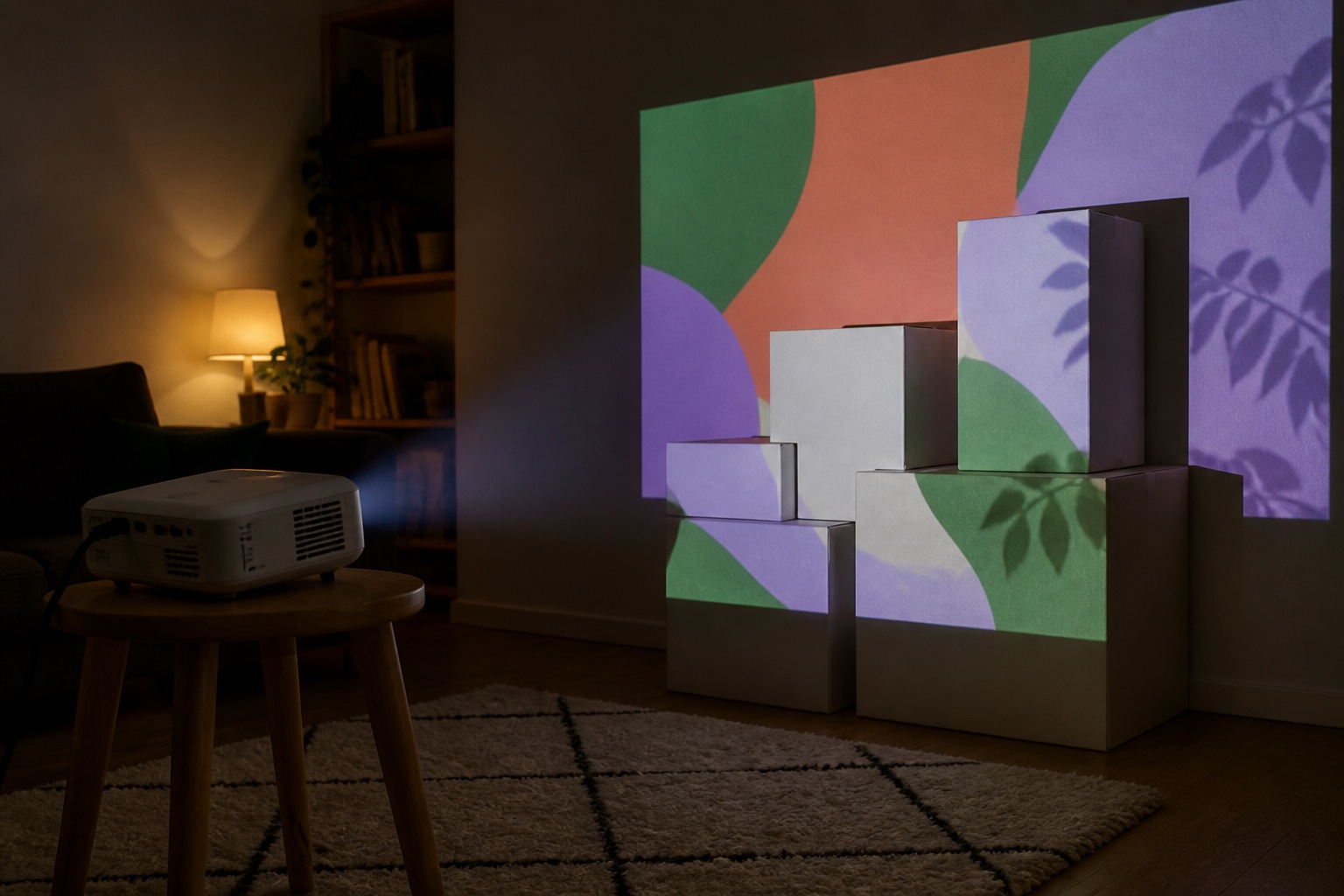
This is the easiest indoor mapping and the best place to start. A few white boxes need only a 2–3 ft (0.6–0.9 m) image, so even a small projector lights each face well. Set the lens at about prop height, hang black cloth behind the scene to swallow spill light, and keep the props matte: gloss paint and glass throw hot spots.
A kid's bedroom wall or ceiling
A ceiling is the one surface nobody walks in front of. Under an 8 ft (2.4 m) ceiling, a projector on a 2 ft (0.6 m) nightstand sits about 6 ft (1.8 m) away, so a 1.2:1 lens makes an image about 5 ft (1.5 m) wide. That is enough for 450 ISO lumens with the lights off and curtains closed. Leave the hall light on and you're in dim-room territory, so shrink the image. Mask the ceiling light in the app so it stays dark.
Keep the projector where small hands can't knock it over or look into the lens, and keep blankets and toys off the vents.
Living-room walls, large walls and detailed art
Most living rooms never get fully dark, so plan on 2,000 lumens or more for a wall. Map the part that matters rather than all of it: halving the image width puts about four times the light on each square foot. Map furniture against the wall as its own shape, or mask it to black.
For fine line work and lettering, more pixels keep edges clean after the app stretches the picture to fit. Pixel-shift 4K is sharper than 1080p but not native 4K, and it only pays off with detailed source files and viewers close to the wall. For bold shapes seen from the sofa, 1080p is enough.
Small rooms where the projector sits close
When the only spot is a few feet from the wall, a 0.5:1 short-throw lens needs less than half the distance of a standard lens and keeps the projector out of the walkway. The catch is depth. A box sticking 1 ft (0.3 m) out from a wall is a third closer to a lens 3 ft away, so it takes a smaller slice of the image and may not share its focus. Keep short throw for flat walls and shallow props.
Parties, dance floors, escape rooms and haunted rooms
With people moving around, placement beats brightness. Put the projector high and to one side so heads pass under the beam, or use surfaces nobody stands in front of: the ceiling, the wall above a doorway, or the floor, projected steeply from a high shelf so dancers' shadows stay short. Each new aim needs its own map.
Haunted rooms and escape rooms want a projector nobody notices. Hide a quiet battery model behind a prop with air at its vents, and switch off obstacle avoidance so a player stepping into the beam doesn't make it resize the image. Some fog and haze machines can set off smoke alarms, so test before guests arrive.
Rear-projecting a window from inside
A window seen from the street is still a dark-room job. Hang rear-projection film, a white shower curtain or sheer white fabric taut inside the glass, set the projector behind it, and use rear mode so the image reads correctly outside; the Mars 3 Air, MoGo 3 Pro and CO-FH02 all list one. About 300 ANSI lumens is enough after dark, or 1,000+ if a streetlight hits the window. Turn off the room lights too. Our Halloween window guide and Christmas window guide cover materials and content.
Mounting indoors: tripod, shelf, ceiling or gimbal
Once the map is drawn, the projector must not move: a nudge of a few millimeters shifts every edge on the wall. After aligning, turn off automatic keystone, auto screen fit and obstacle avoidance so the projector doesn't re-correct itself. Our accessories guide covers tripods and adapters. Four options, most flexible first:
- Tripod: for compact projectors with a standard 1/4-inch thread, such as the Capsule 3 Laser. Check the load rating and tape where the feet sit.
- Shelf or furniture: the simplest stand for the CO-FH02, GT2000HDR and TK710. A bookcase top keeps the beam above heads and away from small hands; keep books clear of the vents.
- Ceiling mount: only for a setup that stays. BenQ mentions ceiling mounting for the TK710; Epson says the CO-FH02 is not compatible with ceiling or wall mounts.
- Gimbal or tilting stand: built into the C2 Ultra and MoGo 3 Pro, and sold as an option for the Capsule 3 Laser. The easiest way to aim at a ceiling.
Noise and heat in small rooms
In a bedroom or a quiet escape room, everyone hears the fan. Ratings are measured differently, so treat them as rough: Mars 3 Air 28 dB, TK710 31 dB (28 in Eco), MoGo 3 Pro up to 32 dB, GT2000HDR 27–34 dB, CO-FH02 37 dB (29 in Eco). Ten dB more sounds roughly twice as loud, so try Eco mode for quiet scenes.
Nearly every watt a projector draws becomes heat. The CO-FH02 draws up to 284 W and the TK710 up to 275 W, about the same as three old 100 W bulbs; the Mars 3 Air's adapter is rated at 90 W. Leave open air around the vents, never seal a projector inside a prop or cabinet, and keep it off beds and carpet.
Connect it and map it
Every pick has an HDMI input (micro-HDMI on the MoGo 3 Pro), so a phone with a USB-C or Lightning to HDMI adapter works with all of them. The Capsule 3 Laser, Mars 3 Air and MoGo 3 Pro also run Google TV, so Lazy Lighting can reach them over Wi-Fi through the Lazy Lighting Link receiver app. For the C2 Ultra, TK710 and GT2000HDR, plan on the cable.
Lazy Lighting runs on iPhone, iPad and Android: you draw one shape per surface and drag its corners into place. It is free to download, with a watermarked free plan; audio-reactive visuals are part of Pro. For several projectors or a timeline-driven show, MadMapper or Resolume fits better; our software guide compares them.
How we chose these picks
The Nebula Capsule 3 Laser is the projector the Lazy Lighting team uses in all of its videos, so that pick comes from hands-on use. The other six are specifications-based: we compared manufacturer brightness ratings, throw ratios, noise, power draw and mounting against the jobs above, but have not tested them ourselves. Check the manufacturer page for your region before you buy.
Frequently asked questions
What is the best projector for indoor projection mapping?
For props, boxes and shelf scenes in a dark room, the Anker Nebula Capsule 3 Laser, which we use in our own videos. For a living-room wall with a lamp on, the Epson EpiqVision Flex CO-FH02. Where the projector must sit close, the short-throw Optoma GT2000HDR.
How many lumens do I need for projection mapping indoors?
After dark, about 300 ANSI lumens for props, boxes or a rear-projected window, 500–1,000 for a wall in a dim room, and 2,000 or more with the lights on. A smaller image helps as much as more lumens.
How far from the wall should the projector be?
Multiply the image width by the throw ratio. A 1.2:1 projector needs about 7.2 ft (2.2 m) for a 6 ft (1.8 m) image; a 0.5:1 short-throw projector needs about 3 ft (0.9 m).
Can you projection map onto a ceiling?
Yes, and nobody stands in front of it. Use a projector with a tilting stand or gimbal, such as the XGIMI MoGo 3 Pro or Hisense C2 Ultra, keep its vents clear, and mask the ceiling light in the mapping app.
Can I do projection mapping with the lights on?
Only with a bright projector or a small image. Plan on 2,000 lumens or more for a wall in a lit room, and turn off the lamps nearest the surface: light on the wall turns the black parts of the map grey.
Is a short-throw projector better for a small room?
When it can only sit a few feet from the surface, yes. With deep props or space to spare, a standard 1.2:1 lens is more forgiving.
Prices, availability, and specifications can change by market and date. Confirm current manufacturer documentation and the retailer listing before purchasing.
- Nebula Capsule 3 Laser specifications (soundcore) ↗
- Nebula Mars 3 Air specifications (soundcore) ↗
- Nebula Mars 3 Air user guide: noise and projection modes ↗
- XGIMI MoGo 3 Pro specifications ↗
- RTINGS: XGIMI MoGo 3 Pro review (micro-HDMI input) ↗
- Epson EpiqVision Flex CO-FH02 product page ↗
- Epson CO-FH02 user's guide: projection distance, fan noise, mounting ↗
- Optoma GT2000HDR specifications ↗
- BenQ TK710 specifications ↗
- Hisense C2 Ultra product page: gimbal, zoom, image size ↗
- Hisense: C2 Ultra launch announcement (3,000 ANSI lumens) ↗
- Lazy Lighting connection guide (our app) ↗