Our recommendation
For most windows, the Nebula Capsule 3 Laser is enough after dark: 300 ANSI lumens, a 1.2:1 throw that fits an ordinary room, and a standard tripod socket. Run it on its charger rather than its battery for evening-long shows. If your street is bright with neighbors' displays, the window is large, or you want the scene visible from the moment it gets dark in the late afternoon, the XGIMI Horizon 20 Pro has brightness to spare. Use frosted rear-projection film or a window projection sheet; a white shower curtain is the cheap fallback.
Then map it from your phone. Lazy Lighting fits video to each window, box or door: draw a shape and drag its corners while you watch the projection. Free to download. Disclosure: we make Lazy Lighting.
Get Lazy Lighting ↗Quick comparison
| Projector | Best for | Brightness (lumens) | Rating standard | Resolution | Throw ratio |
|---|---|---|---|---|---|
| Nebula Capsule 3 Laser | Best for most windows | 300 | ANSI | 1920×1080 | 1.2:1 |
| XGIMI Horizon 20 Pro | Bright streets, large windows and early starts | 4,100 | ISO | 3840×2160 (pixel-shift) | 1.2–1.5:1 |
Nebula Capsule 3 Laser
Used hands-on by the Lazy Lighting team
Best for most windows. A fixed 1.2:1 throw means about 1.2 m of distance for every metre of image width, which suits a normal room. It has a standard 1/4-inch tripod socket and Google TV. The battery is handy while aiming, but run the show on the charger: with auto brightness on, Nebula says it drops to a dimmer eco mode when unplugged.
Check price & availability (paid link) ↗XGIMI Horizon 20 Pro
Specs-based pick
Bright streets, large windows and early starts. Far more light than a window needs after dark, which is what you want when the houses around you are lit up or the show starts at dusk. The zoom and lens shift let it sit low on a sideboard and still land square on the window, and XGIMI lists a rear projection mode. It weighs 4.9 kg and runs on mains power, so it belongs on furniture rather than a travel tripod.
Check price & availability (paid link) ↗How we chose: the Nebula Capsule 3 Laser is the projector the Lazy Lighting team uses hands-on, including in our own videos. The other picks are based on manufacturer specifications; we have not tested them ourselves. Check current specifications and availability before buying. As an Amazon Associate we earn from qualifying purchases.
What else you need
- Holding the Capsule at window height: K&F Concept 64-inch tripod. K&F lists a 1/4-inch mounting screw, an 8 kg (17.6 lb) load rating and a maximum height of about 1.6 m, enough to put a Capsule level with the middle of most windows. Aiming straight at the glass keeps keystone correction to a minimum and makes the setup easy to repeat each evening. Check price & availability (paid link) ↗
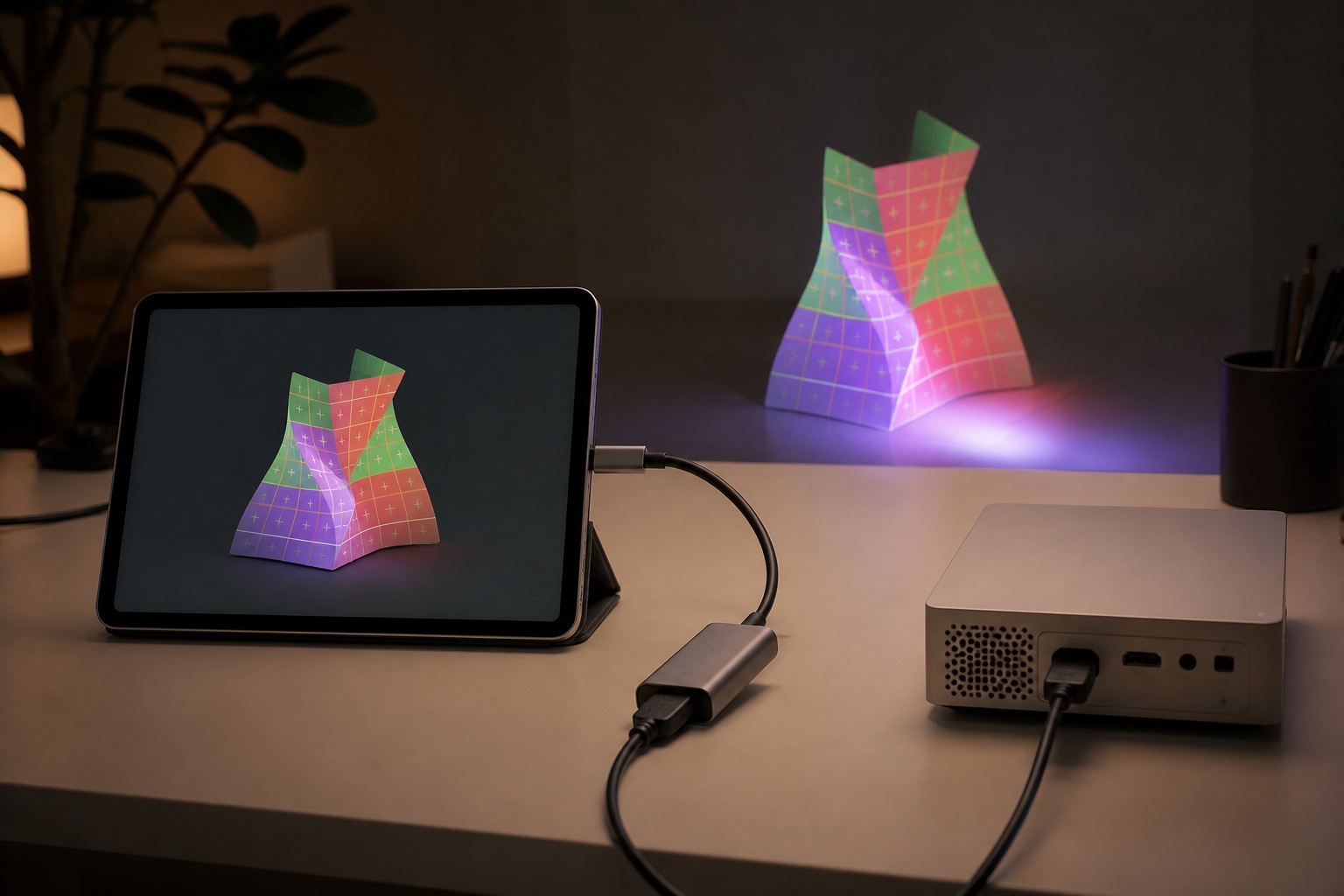
- Wired phone or tablet connection: Anker 5-in-1 USB-C hub with HDMI. For a USB-C iPhone, iPad or Android phone that supports video out: HDMI to the projector plus a USB-C power-delivery input, so the phone charges through a whole evening of looping. Lightning devices need Apple's Lightning Digital AV Adapter instead. Check price & availability (paid link) ↗
Why project from inside at Christmas
A Halloween display runs for a night or two. A Christmas display runs from late November into January, through rain, frost and the occasional snowstorm. Projecting from inside sidesteps all of it. The projector sits in a warm room, nothing gets wet, and the display stays set up between evenings, so starting the show is a matter of switching it on.
Cold alone rules out a lot of outdoor setups. XGIMI rates the Horizon 20 Pro for operation from 0°C (32°F), and plenty of December evenings are colder than that. Indoors, it is not a concern. For garage-door and full-house displays, see our Christmas projector roundup.
Choose the screen
Bare glass passes the light straight into the yard, so you need a diffusing layer across the inside of the window. Each option trades brightness against evenness and how much of the projector's bright spot shows through. Stretch it flat and cover the whole pane: wrinkles show as dark bands from outside.
On cold nights, single-pane or older windows can fog on the inside. A sheet or curtain hung a few centimetres from the glass is unaffected; film on the glass can get wet, so wipe it down and keep the room ventilated.
- Rear-projection film or frosted window film: flat on the glass, sharp and even, and it will not sag over a six-week run. White is brighter; grey holds contrast better on a bright street. Choose a removable static-cling type and test a small piece first.
- Purpose-made window projection sheet: AtmosFX, for example, sells a white semi-translucent nylon sheet in 4 × 6 ft and 5.5 × 9 ft sizes, designed to reduce hotspots and glare.
- White frosted shower curtain: the best cheap option. Let it hang for a few days so the folds relax, and hold it taut with a tension rod.
- Bedsheet or cotton drop cloth: hides the projector's bright spot but absorbs much more light and shows its weave. It suits a bright projector more than a small one.
- Sheer fabric or grey mesh: makes falling snow or a Santa silhouette appear to float, but it is the dimmest option and anything lit in the room shows through.
The hotspot and the mirror image
A hotspot is the projector's lens glowing through the screen, usually in the middle of the image. It is worst with thin materials and a projector close to the glass. Place the projector above or below the eye line of people on the sidewalk, move it back if the room allows, or use a denser screen.
From outside, a rear-projected image is mirrored. A snowfall loop looks the same either way, but “Merry Christmas” will read backwards, and so will a sleigh that should fly left to right. Set the projector's projection mode to rear (XGIMI lists front, rear and ceiling modes for the Horizon 20 Pro), or mirror the video in your app. Then turn off automatic keystone and screen fit so the image cannot shift if the tripod is nudged.
How bright for a Christmas window?
After full dark on a quiet street, about 300 ANSI lumens is plenty for a typical window, because the image is small and the light is concentrated. December changes two things. It gets dark in the late afternoon, so many people want the show running while the sky is still fading. And the street is brighter: neighbors' displays, inflatables and your own outdoor lights all add light to the outside of the screen.
String lights around the window frame are the usual culprit, because they shine straight onto the screen's edges. Switch off the ones nearest the window during the show, or plan for roughly 1,000 lumens or more, which is where the Horizon 20 Pro earns its place. With the Capsule, stay on the charger: Nebula's support page lists lower brightness figures on battery.
Throw distance: how far back for your window
Image width is roughly distance divided by throw ratio, so with a 1.2:1 lens you need about 1.2 m of distance for each metre of width. Most windows are taller than a 16:9 image: size to the width for a wide scene across the middle of the pane, or to the height to fill it top to bottom and mask the sides to black. Nebula's chart puts the Capsule 3 Laser at about 1.05 m for a 40-inch image and 3.18 m for a 120-inch image. For other projectors, use our throw-distance calculator.
- A 0.9 m (3 ft) wide pane, sized to its width: about 1.1 m (3.5 ft) back.
- A 1.2 m (4 ft) tall pane, sized to its height: about 2.6 m (8.5 ft) back, with the sides masked.
- A 1.8 m (6 ft) wide picture window: about 2.2 m (7 ft) back.
- A bay window: project onto the center pane and leave the side panes dark or lit with string lights.
The tree, the room and safety
The front window is where many people put the Christmas tree, and the tree is the biggest threat to a window projection. Its lights hit the back of the screen and lift every black part of the scene. Use a different window, move the tree to one side, or switch its lights off while the show runs. Do the same for lamps, a TV and a lit hallway.
Put the projector on a tripod at roughly the window's center height and aim straight at it. Keep its vents clear of curtains and the tree, tape the power cable down, and mark the tripod feet so it goes back to the same spot after cleaning or a visit from the cat.
Running it every night until New Year
Pick a schedule, such as dusk until 9 or 10 p.m., and stick to it. Start and stop the show yourself with the remote: many projectors expect a normal shutdown so the fan can finish cooling, and cutting the power at the wall is not a substitute. Switch it off when you go to bed.
Keep the source awake and powered. A phone running the show should stay on its charger, through a hub if it is also driving HDMI, and on iPhone set Auto-Lock to Never. Spend ten seconds each evening checking that the scene still sits inside the frame.
Map the window and choose the content
A plain video player throws a rectangle that glows on the frame, the wall and the curtains. Mapping fits the scene to the glass and keeps the rest black: you outline the pane, mask the mullions so the scene sits behind them, and nothing spills onto the curtains. Lazy Lighting's mapping guide covers shapes and masks, and Lazy Lighting's connection guide explains each way to get the phone's output to the projector, including Lazy Lighting Link on Google TV projectors such as both of our picks.
For content, use loops made on pure black: snowfall, silhouettes, a glowing workshop window. Calm loops wear better over six weeks than constant motion, for you and for the neighbors.
Frequently asked questions
What is the best projector for a Christmas window display?
For most windows after dark, the Nebula Capsule 3 Laser: 300 ANSI lumens, a 1.2:1 throw and a tripod socket. If the street is bright with other displays or you want the show visible at dusk, the XGIMI Horizon 20 Pro has much more brightness.
What do you put on a window for Christmas projection?
A diffusing screen across the inside of the glass: rear-projection or frosted window film, a purpose-made window projection sheet, or a white frosted shower curtain. Bare glass will not show an image.
How do I project a Christmas scene onto a window from inside?
Fit the screen to the window, put the projector on a tripod in the room aimed straight at it, set rear projection mode, make the room dark, and fit the scene to the window with a mapping app or by sizing the image to the glass.
Will text like “Merry Christmas” appear backwards from outside?
Yes, unless you correct it. A rear-projected image is mirrored for viewers outside, so set the projector to rear projection mode or mirror the video in your app.
How far should the projector be from the window?
Multiply the image width by the throw ratio. With a 1.2:1 projector, a 0.9 m wide pane needs about 1.1 m; filling a 1.2 m tall pane top to bottom needs about 2.6 m.
Can I leave the projector running in the window all night?
Better not. Run it on a schedule, such as dusk to 9 or 10 p.m., switch it off properly with the remote, and keep its vents clear of curtains and the tree.
Prices, availability, and specifications can change by market and date. Confirm current manufacturer documentation and the retailer listing before purchasing.
- Nebula Capsule 3 Laser official specifications ↗
- Nebula support: Capsule 3 Laser image size and projection distance ↗
- Nebula support: battery brightness modes, including Capsule 3 Laser ↗
- XGIMI Horizon 20 Pro official specifications ↗
- RTINGS: XGIMI Horizon 20 Pro review (pixel-shift 4K) ↗
- K&F Concept 64-inch aluminum travel tripod specifications ↗
- AtmosFX: differences between its projection materials ↗
- Apple: connect iPhone to a display with a cable ↗
- Lazy Lighting: mapping shapes and masks (our app) ↗
- Lazy Lighting: connect a phone or tablet to a projector ↗
- Lazy Lighting: recommended projector hardware ↗